I have been using apple macos transcription on my handwritten notes every once in a while, where you manually select text from some png or pdf and copy paste, into a text document, but it is pretty awful. Is bad because it misses many of the bounding boxes and even then makes so many transcription errors, that I might as well just transcribe it myself. And so ultimately I was wondering if a hugging face model is better at the transcription. I learned about https://huggingface.co/PaddlePaddle/PaddleOCR-VL-1.5 from chatgpt.
I had some missteps, but eventually got it to run on my 2017 macbook. However wow this is a powerful model and although it seems to do better on my handwriting and does box bounding out of the box, but it took 9 minutes to process one 1MB pdf file on my laptop, so I think I need to find a simpler model.
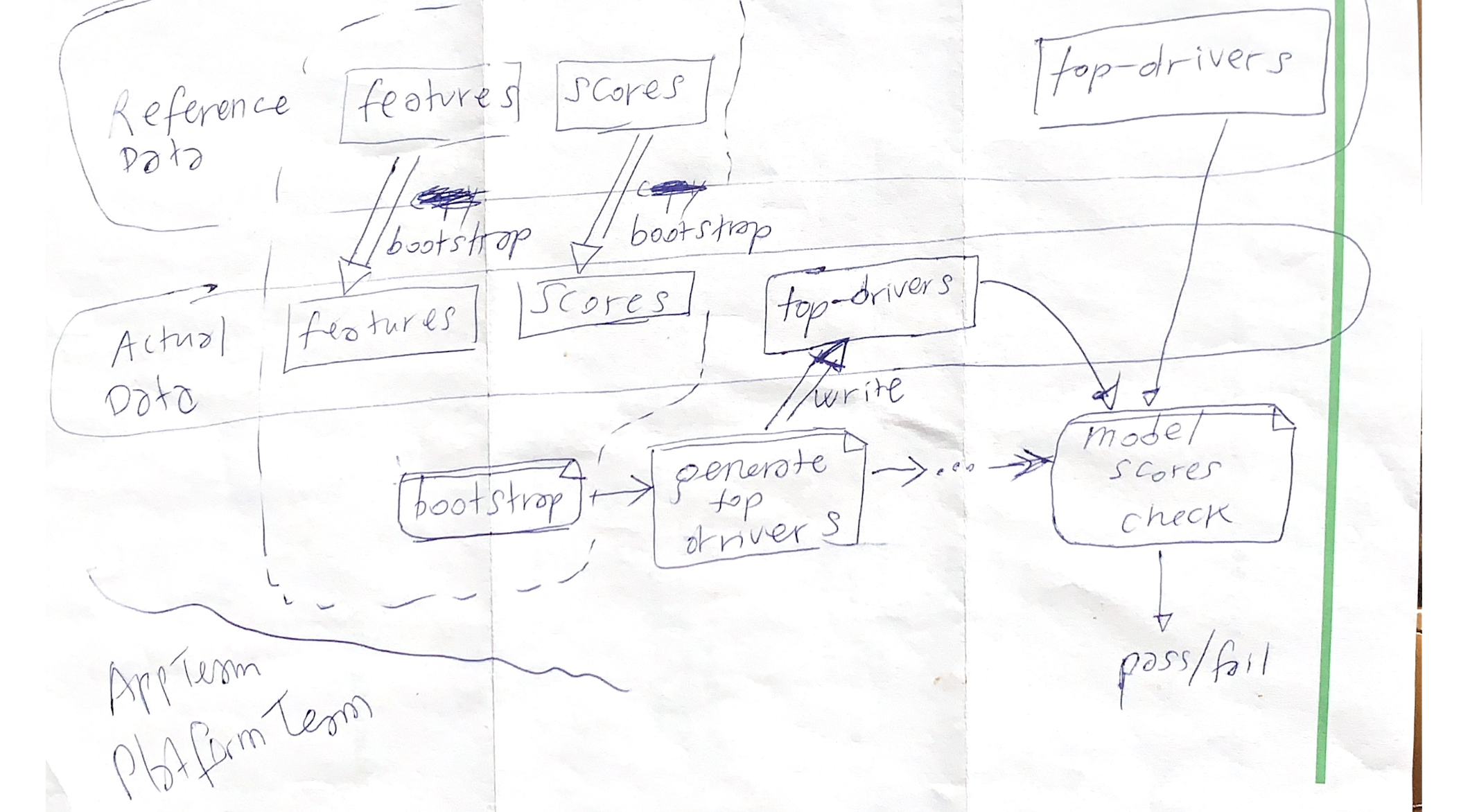
Image I was processing
The table output produced by the model
I was only randomly processing a diagram as a smoke test. It was just the first random paper I found. But anyway it was cool to see that this model produces an html table since that shows how it nicely preserves the locations of next.
| Reference Data | Features | Scores | Top-drivers |
| Actual Data | bootshop | bootshop | |
| features | scores | top-drivers | |
| write | model scores check | ||
| AppTeam | bootshop | generate top drivers | pass/fail |
| P64FirmTeam |
Dockerfile that worked for me
I ended up adding the paddleocr doc_parser -i /tmp/smoke-test.pdf, in there since without that, the first run started to download models to /root/.paddlex/official_models
FROM python:3.12-slim

WORKDIR /app

RUN apt-get update && apt-get install -y \
    libgomp1 \
    libgl1 \
    libglib2.0-0 \
    poppler-utils \
    && rm -rf /var/lib/apt/lists/*

RUN pip install --upgrade pip

RUN python -m pip install paddlepaddle==3.2.1 \
    -i https://www.paddlepaddle.org.cn/packages/stable/cpu/

RUN pip install paddleocr[doc-parser]
RUN pip install ipython

COPY smoke-test.pdf /tmp/smoke-test.pdf

RUN paddleocr doc_parser \
    -i /tmp/smoke-test.pdf \
    --pipeline_version v1.5 \
    || true

COPY . /app

CMD ["bash"]
and this is how large the downloaded models ended up being
root@6f408ee75a74:/app# du -d 1 -h /root/.paddlex/official_models/
126M	/root/.paddlex/official_models/PP-DocLayoutV3
1.8G	/root/.paddlex/official_models/PaddleOCR-VL-1.5
2.0G	/root/.paddlex/official_models/
Next
I really do like to write by hand sometimes, because firstly, that lets me write without distractions, but also because I have done really a lot of writing by phone, but the thumb or index finger typing can be really bad for my fingers, my posture, my eyes. And all that staring at a tiny rectangle in your hand apparently raises your cortisol level too, with all that focusing.
I don’t know if it is local, but the “Autofill > Scan to text” on my iphone Xs seems to be more accurate than the one on my macbook. So for now I may just stick with that. It is too slow to batch process my old notes. Maybe I’ll leave them scanned as pdf for now and process them in the future when I can figure out a more reliable VL multimodal layout/image-text-to-text pipeline.
References
- https://huggingface.co/PaddlePaddle/PaddleOCR-VL-1.5
- https://www.paddlepaddle.org.cn/en/install/quick?docurl=/documentation/docs/en/install/docker/linux-docker_en.html
- https://github.com/PaddlePaddle/PaddleOCR
- https://www.paddleocr.ai/latest/en/version3.x/pipeline_usage/PaddleOCR-VL.html#manual-install-inference-engine-and-paddleocr