Here are some of my notes on adding Cloudflare AI search as the endpoint for my hugo site’s search.
Summary
The other weekend, I randomly looked into some minimal ways to set up RAG search on my hugo site. A year prior, I had tried out3 TypeSense as a hosted vector embedding store for a several million row many gigabyte dataset but a hugo text site is pretty small so I was wondering what the price might be for this. Cloudflare AI Search came up, incidentally as not only a vector store alternative but a self contained store with indexing and a small RAG layer on top.
I was able to set up the auto indexing in one day and then the next weekend, in maybe half a day, I setup my hugo to talk to the AI Search endpoint.
The effort was so minimal because actually the cloudflare documentation was really excellent and also I leaned heavily on ChatGPT codex to override the Hugo standard built in fuse search javascript to talk my new worker instead.
Bird’s eye view
Briefly, the setup involved the following steps:
- Move my DNS over from my registrar to cloudflare, because that was a prerequisite for cloudflare to automatically embed and index a website.
- Use the excellent cloudflare docs2 to spin up AI search against the domain I’m now managing through cloudflare. (Initially I tried using the UI but this kept attempting to use my main domain as opposed to my subdomain)
- With just some button clicks on the dashboard, activate a worker to proxy traffic to the AI search service (I did try doing this by the API as well, but I could not find great documentation for that part actually).
- Override my hugo search page and search javascript to hit my cloudflare worker endpoint. (I Used ChatGPT Codex here for the heavy lifting and I played the role of QA, adjusting incrementally the pr prompt based on what I saw).
Getting into it
Migrating my domain
I read that cloudflare will only manage search on a subdomain it controls, so I decided to update my registrar’s NS to point to cloudflare, figuring this was just a super reversible choice anyway.
Setting up AI Search
The Web UI method here did not work for me because for some reason my apex domain was used for the setup. Even after I wrote my subdomain into the text box, my button press after was not responsive.
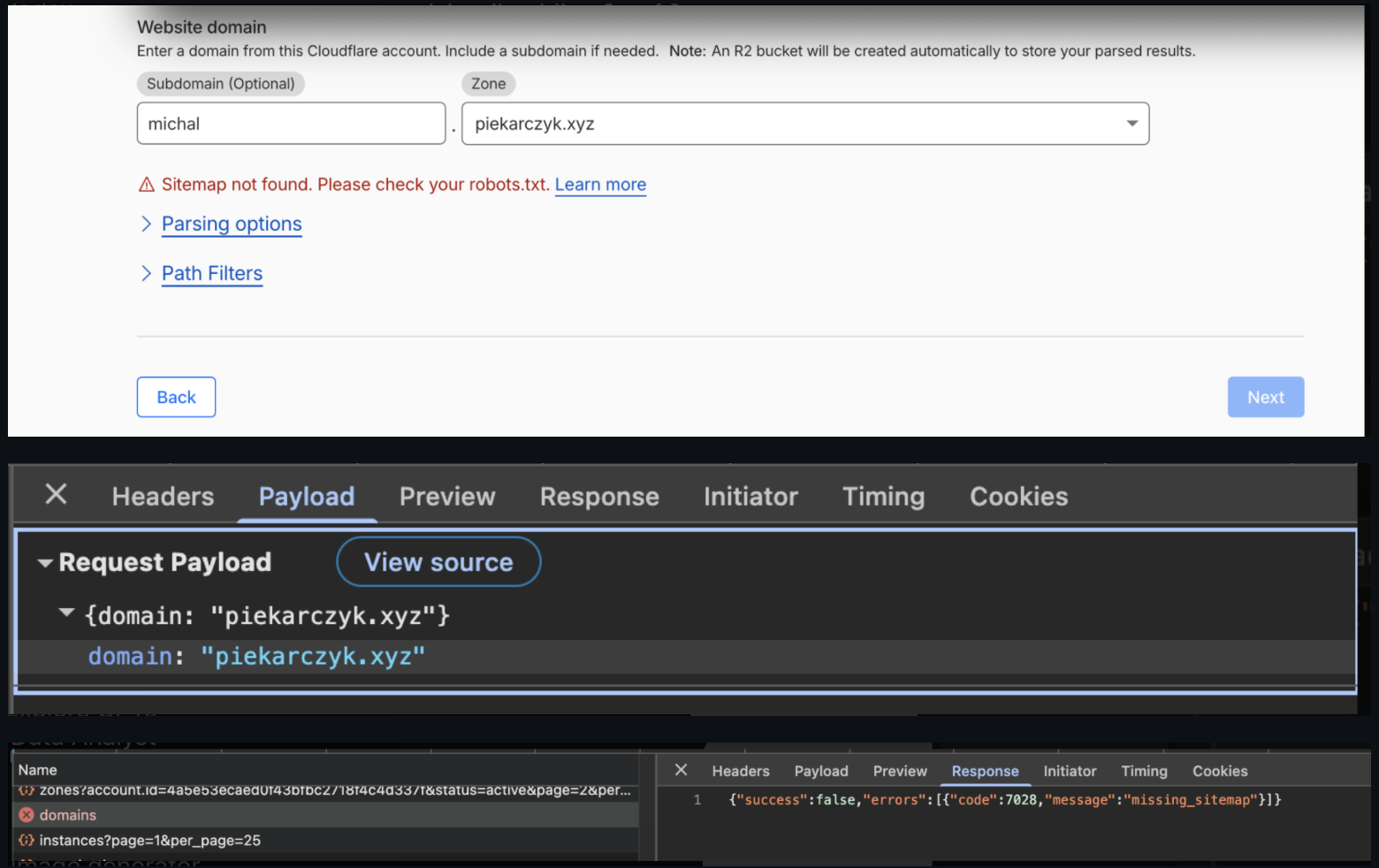
This looked like a bug basically, but that’s okay because following along with the REST API docs, I was able to explicitly pass my intended domain along, michal.piekarczyk.xyz to the request, and that worked just fine.
Next the search step
Cloudflare has a nice playground I was able to use to try out a few queries, after my content started getting embedded. So I saw that it was basically functional. And I was able to create a REST token too and try out the AI Search endpoint with curl from my laptop as well.
And at this point I had intended to just hook up my hugo javascript directly to this AI Search endpoint. However, in consulting ChatGPT on this, I learned there is actually a managed worker that can proxy this traffic instead. This sounded better as a light weight in between layer that has its own separate domain and most importantly has WAF rate limiting rules. As far as I remember, preventing DDoS attacks is what cloudflare became initially known for, so this light-weight javascript managed worker layer is the way for taking advantage of cloudflare’s global ingress rate limiting.
Let’s replace my existing hugo search
Here is where I leveraged Codex, prompting to make a GET request to the worker endpoint from the previous step. I had actually replaced the default hugo search for a project at work in the past, so I knew what to expect this time. The out of the box hugo search runs on each key-stroke, but I wanted to search on a button click this time instead. The default fuse.js search is a simple edit distance fuzzy search based on Levenshtein distance and it is super fast especially because it refers to the hugo in-memory index.json and that’s why it can afford to refresh per key stroke. But because the small free cloudflare worker I’m using takes 5 seconds, I definitely wanted to use button search instead.
Iterating
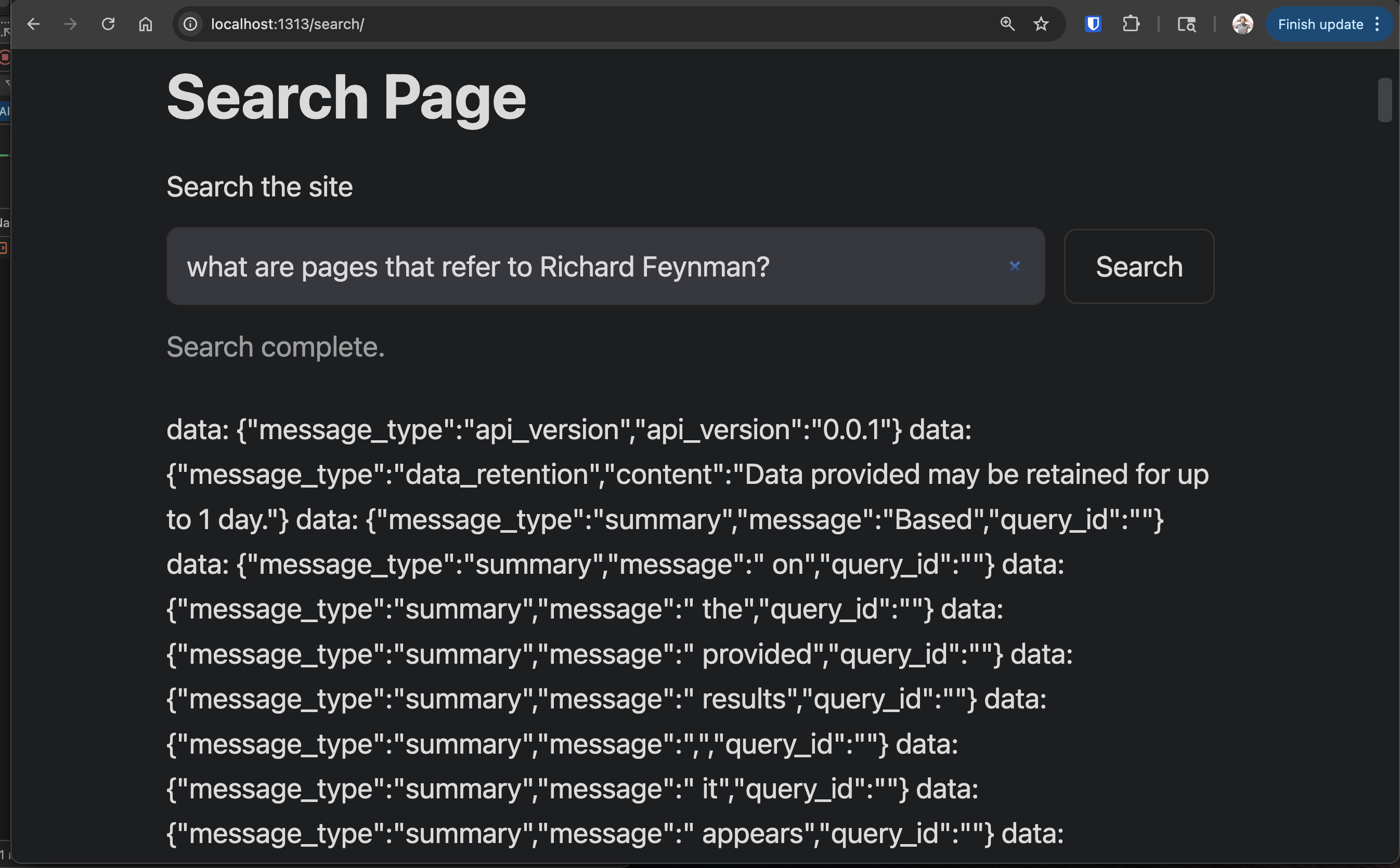
One of the initial results was funny because the raw output was presented.
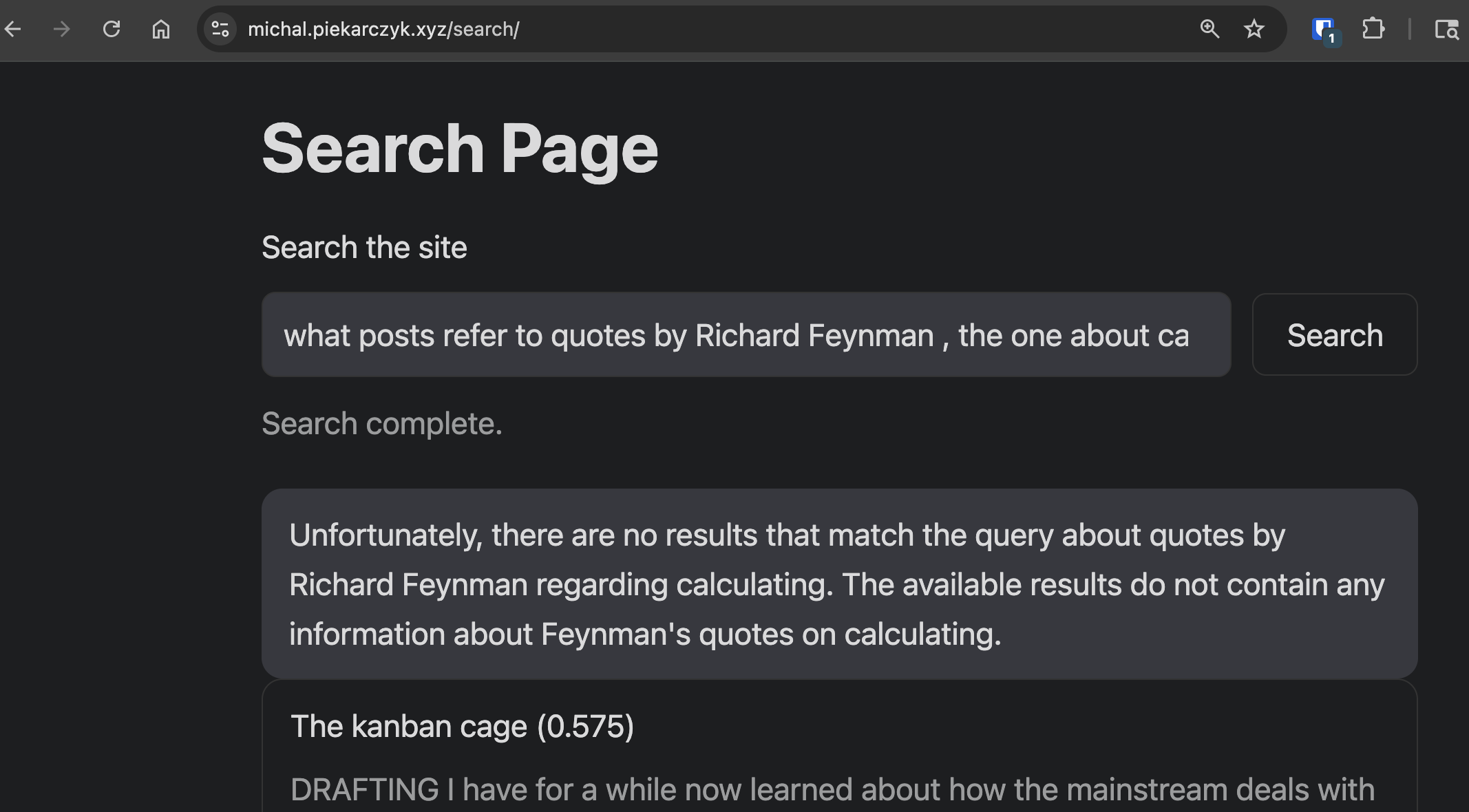
And after only a few extra iterations, I basically got what I intended.
Are the results good?
Anecdotally I do see some hits I expect but not others. I noticed one page that did not come up in my results I realized somehow did not get indexed. To really measure the performance, I know I would have to create a nice golden dataset like I did for an earlier project, and apply Mean Average Precision and Mean Reciprocal Rank6,7 , to get a fair evaluation.
References
- https://developers.cloudflare.com/ai-search/how-to/brower-rendering-autorag-tutorial/
- https://developers.cloudflare.com/ai-search/get-started/api/
- https://michal.piekarczyk.xyz/post/2025-01-11-comparing-embedding-models/
- https://www.fusejs.io/concepts/scoring-theory.html
- https://en.wikipedia.org/wiki/Bitap_algorithm
- https://michal.piekarczyk.xyz/post/2025-01-11-comparing-embedding-models/
- https://michal.piekarczyk.xyz/post/2025-02-01-speedup-building-ground-truth-dataset-with-chromadb/